



Trusted Family

Switch from Microsoft Sharepoint to Trusted Family

We have solved the SharePoint
pain for families!

1. SharePoint outgrown

While Microsoft SharePoint stores documents, Trusted Family supports your entire governance

SharePoint is a familiar tool in the corporate world, but it was never designed with family businesses or family offices in mind. It assumes your team is made up of IT professionals, not family members, board of directors, or advisors.

The result is predictable: family members rarely log in; board directors email asking where the pack is; permissions never quite match who should see what; documents get re-shared through channels no one can audit, and the platform that was supposed to organize your family's information becomes the one no one wants to open.

Trusted Family was designed for families by families. Our founders come from family businesses themselves, so they built a platform that directly addresses the needs of family members, board directors, and advisors, not just IT teams. It goes far beyond file storage, with features for governance, communication, legacy, and engagement.

The result? Higher adoption, clearer roles, and better alignment accross generations.

SharePoint
Trusted Family
Purpose
Corporate file storage and intranet
Unified platform for family governance, communication, and Next Gen onboarding
Scope
File sharing and basic workflows
File sharing, meetings, voting, family tree, members directory, templates, access to a community, work spaces, secure vaults,  and so much more
Built for
Corporate teams with IT support
Family businesses, family offices, trusted advisors
Experience
Another enterprise login
A branded home for the family, on web and mobile
“We strengthened the links between the members of a family that is getting bigger with each generation.”
— Charles Banzet
9th generation of a French Industrial Group

The good news: you don't have to leave SharePoint behind to fix this. Keep reading.

2. The SharePoint bridge

You don't have to leave SharePoint behind. Just stop asking your family to live in it.

Most family businesses we work with already run SharePoint somewhere. It's where the CFO keeps financials. It's where the legal team keeps agreements. It's where IT wants the data to stay. That's fine.

The problem isn't SharePoint. The problem is asking a fourth-generation shareholder in another time zone, or an external advisor joining their first board meeting, to log into a Microsoft 365 tenant to find a PDF.

So we built the bridge.

With our new native SharePoint integration, your IT team keeps SharePoint as the source of truth, and your family, board, and advisors get a single, beautifully simple place to access exactly the files they need.

How it works:

  • Administrators stay in control. Your SharePoint administrator authorizes Trusted Family once, read-only, revocable at any time, and picks the sites and drives we can see. Nothing else is ever exposed.
  • Users pick the files. Inside any Space, your team clicks Add from SharePoint and surfaces what belongs there. Each user's own SharePoint permissions are validated at the moment of selection.
  • Files flow one way. Every edit, rename, or delete happens in SharePoint and mirrors into Trusted Family automatically. Your family, board, and advisors see it read-only in their Space and can drop any document straight into a meeting Event Pack.
3. Real governance

From shared folders to structured, secure governance

With SharePoint, information lives in files. But what about decisions, votes, minutes, resolutions, and family council updates?

Trusted Family brings clarity with:

  • Dedicated spaces for boards, councils, and committees
  • Smart workflows for meetings, approvals, and signatures
  • Structured permission levels based on role, not guesswork
  • Secure collaboration for family members and advisors alike
  • Highly secure vaults to store and share sensitive documents
  • Native SharePoint sync so files (such as financial information, holding reports, etc.) you already manage in SharePoint appear exactly where governance happens

So nothing slips through the cracks, and everyone stays aligned.
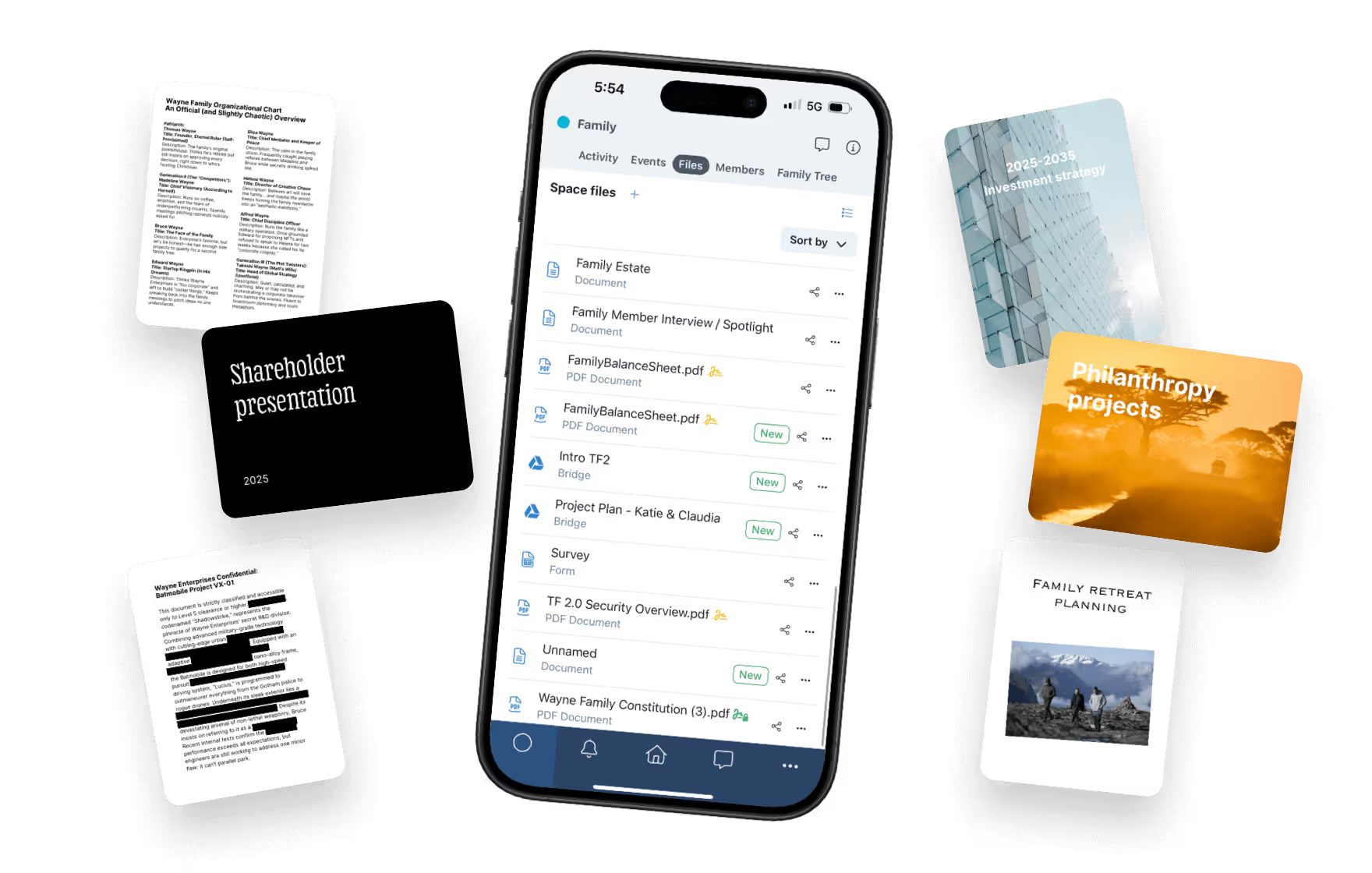
The structuring, securing, traceability, and archiving of the documentation and information that was mainly shared via email has always been a challenge. Trusted Family helps us manage those aspects of communication.
— Catherine Noël
3rd generation member at NomaInvest
4. Trusted access

Keep your legacy safe by controlling who sees what

On SharePoint, access control depends on IT teams and complex permissions. Mistakes happen. Offboarding is slow. And sensitive information can land in the wrong hands.

Trusted Family was built for families who need clarity and control, not technical complexity. Every user sees only what they’re meant to and nothing more:

  • Role-based access for family members, board members, and trusted advisors
  • EU-based hosting, with end-to-end encryption and full GDPR compliance
  • Granular permission settings for groups, documents, and even folders
  • One-click onboarding and removal, with a full audit trail of every action
  • Read-only, one-directional SharePoint connection: your source files stay exactly where admins put them, and nothing done in Trusted Family can ever change them
  • No downloads by default: synced content is viewable in Trusted Family, but not exportable from it.

Even when the files live in SharePoint, what the family sees is governed by Trusted Family's permission model, so the family office assistant doesn't accidentally see what only the board should.

Learn more about Security ->
5. Smooth switch  

Fast, fully supported by our CSM team and now, no migration required

Some families want a clean migration. Others want to keep SharePoint and simply surface the right files to the right people. Either way, our team handles it.

  • Option A: Full migration. Secure transfer of documents, folders, and sensitive data. Preservation of your existing structure with tailored access rights. Set up governance spaces like boards, councils, and committees. Step-by-step onboarding for every user.
  • Option B: Connect and sync. Keep SharePoint as your source of truth. Connect it to Trusted Family, map the right sites and drives to the right Spaces, and your family, board, and advisors start working from their new home immediately, without IT having to touch a single file.

Most families are fully up and running within a couple of months.

“Our migration team at Trusted Family made the process easy to navigate and got our systems moved without interruption during our busiest week of the year.”
— Susan Ward
Executive Board and Family Administrator at Bush Brothers & Company
6. With you all along

Our team has already helped onboard 200+ families.

Trusted Family was created for families, by people who understand them. We know what it takes to engage multiple generations, simplify governance, and ensure long-term adoption.

Our Success Team is with you every step of the way:

  • Personalized onboarding for each user group
  • Strategic guidance tailored to your governance structure
  • Best practices drawn from 15+ years of working with families
  • Real people who actually know you and understand your specific needs

Meet the success team ->
“Your team created a first-class experience centered around productive conversation. We’re proud to have Trusted Family as part of our future.”
— Noah K. Hannon
COO, Synovus Family Office
Your most important questions answered.

Is Trusted Family secure?

Yes. Security is at the core of our value proposition. We use enterprise-grade encryption and security protocols, specifically tuned to protect sensitive family data. We are GDPR, SOC2 and 3-compliant. For more detailed information about our security measures, click here.

Will we lose any data?

No. Our onboarding team will work with you every step of the way to ensure a smooth and secure migration.

Do users need to be tech-savvy?

Not at all. The platform is easy to use, intuitive, mobile-friendly and accessible to all generations.

Can we keep using Outlook or Teams too?

Yes, you can, but we don’t recommend it. The real strength of Trusted Family is having everything centralized in one secure environment. When documents, decisions, and updates are scattered across tools like email or chat, important information can get lost or overlooked. With Trusted Family, everything is structured, traceable, and protected by enterprise-grade encryption, which is far more secure than emails.

Can we customize the platform?

Absolutely. Trusted Family is built to reflect your family’s values and identity. You can customize your platform’s logo, colors, and URL, tailor the layout of each space, and set detailed permissions so every user sees what’s relevant to them.

Is Trusted Family only for large family businesses?

Not at all! Trusted Family is designed for businesses of all sizes, from newly formed single family office to large multigenerational enterprises.

— Qué sigue —
Conectémonos